Introducing LitLinks (blog feature and AI-generated podcast)

Thanks to the wonders of AI and an idea from Ashley Budd, I am entering the world of podcasting with a new feature I’m calling LitLinks.

LitLinks is an occasional compilation of literary- and writing-related content posted right here on the blog and also fed into Google’s NotebookLM AI research assistant to create an audio summary of all those links. That way, if you don’t have the time to read all those great links, you can listen to the podcast-style presentation while driving, jogging, doing the dishes, or avoiding your daily chores.

Continue reading “Introducing LitLinks (blog feature and AI-generated podcast)”

Friday Five: Google’s best gifts

Happy 15th Birthday, Google.

The Google Search timeline (click to enlarge and go to original location)

It’s hard to imagine life before the ubiquitous search engine that has changed the way we use the web. But once upon a time, we sorted through Yahoo! directories or tried our luck seeking out information through lesser search engines like AltaVista. And when Google made its debut in 1998, its simple, no-frills interface didn’t thrill many of us. But the company’s superior search algorithm caught on, and soon “Google” became synonymous with “search.”

Google has grown up a lot in its 15 years. It’s made a few missteps along the way (Google Wave and its decision to kill Google Reader are notable examples) but the brainchild of Larry Page and Sergey Brin has made more good and smart moves than bad, boneheaded ones. So, in honor of the company’s quinceanera, here are the five things from Google that I appreciate the most:

5. Search. It seems silly to even mention this. Google has become so much more than a search engine. But this core function still serves as the centerpiece of Google’s business, and advertising revenue from the platform contributes a lot to Google’s bottom line. Google revenues reached $50 billion for the first time in 2012, and 96 percent of that came from ad sales.

4. Google Analytics. “Turning data into insights” is this tool’s slogan, and it’s true. Is there a college or university around today that is not using Google Analytics to improve the user experience?

3. Google News. I love the customizable portal for gathering news from all the world’s news sources.

2. Gmail. As a self-confessed digital hoader and someone who sees “inbox zero” as a fruitless attempt to get ahead of the never-ending stream of email exchanges, I love Gmail’s bottomless pit of storage.

1. The Google DoodleSometimes, companies can get away with breaking all the rules of visual branding. Google has done that with its Google Doodle. The Doodle is a creative way to celebrate remarkable achievements or anniversaries. (Just click on today’s Doodle at Google’s search site and play a round or two of pinata-bashing. You’ll see what I mean.)

Those are my five favorites. What are yours?

Fiddling with Feedly as a Google Reader alternative

Soon after Google announced it was giving Google Reader the axe, I looked around for alternatives. It didn’t take long to find one, thanks to Nick Denardis, who recommended Feedly.

I’ve been experimenting with Feedly since late March. And like Nick, I ask myself why I didn’t make the switch from Google Reader sooner. It’s a nice interface and neatly imported all the feeds from Google Reader for me.

What about you? What is your go-to RSS reader now that Google Reader is on the way out? If you’re a Google Reader aficionado, you only have until the end of this month to make a switch.

Google’s Reader gamble: What #highered would never do

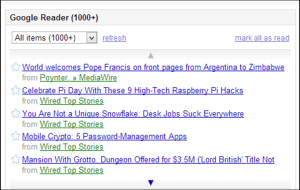
Google Reader is embedded in my iGoogle page, which will also goes away later this year (Nov. 1, 2013).
Google Reader is embedded in my iGoogle page, which also goes away later this year (Nov. 1, 2013).

So Google has decided to pull the plug on its RSS reader Google Reader effective July 1, 2013. And people are not happy about it. Google Reader grew to become a popular tool for aggregating, sharing and distributing information. It was not only “revolutionary in function,” writes Wired’s Mat Honan; “it was beloved.”

No matter what you think about Google’s decision to off Reader, you have to admire the company’s ability to make a decision to get rid of services that either a.) have no demand (remember Google Wave?) or b.) aren’t part of a key business objective. Google is a sprawling company that has forged its way along many paths. In that regard, its focus has been about as fuzzy as most colleges and universities, which strive to provide as many programs and options as possible to as many types of students as possible.

But what Google has done that higher ed seems incapable of (for the most part) is to realize that something that was once a smart thing to do has outlived its purpose. Google Reader has been one of the most popular and fruitful experiments, and now it’s on its death bed. Google made the difficult but unpopular choice to get rid of the service.

Colleges and universities have a difficult time focusing on core business objectives. They struggle to eliminate programs and efforts that aren’t critical to their missions. And when people freak out about administrative attempts to focus, then university leaders often back down and move forward with business as usual, or with some incremental change.

Last night, as I was reading about the demise of Google Reader, I also spotted this piece from Poynter about the University of Indiana’s decision to merge its journalism program with communications, telecommunications and film studies. This is a pretty bold move for a university, and not popular with the old-school journos at Poynter (or elsewhere, I’d imagine). Yet the provost argues that the way journalism has been taught for the past 100 years won’t work for the future. “[T]he field of journalism, in particular, has been the subject of numerous recent calls for renewal.” This push for a merger is IU’s attempt at that renewal.

Will it work? There will be backlash. Just as there is now with Google’s decision with its beloved Reader. (Remember in 2011 when Google eliminated the ability to share via Google Reader? I do. And boy was I hoppin’ mad about that decision. But guess what? I got over it. Other services have entered the marketplace to replace that function to some extent. And some of them do a better job of it.)

Making a decision to let go of something that is beloved is never easy, and rarely popular. But sometimes it’s the right thing to do. We’ll see if that’s the case for Google as well as IU. Maybe the rest of the higher ed community could learn from both of these examples.

How journalist-friendly is your #highered website?

newsMedia relations and PR in higher education continues to evolve. The old days of pitching story ideas or blindly sending out news releases is giving way to a different model — one that relies more on the Internet to connect us to our audiences.

We’re trying to optimize our websites to make them easier for journalists to find and easier for Google to index. We’re sharing more news with our audiences via social media. We’re putting our content in more media vessels than ever before, re-purposing print stories for the web and web for print, posting video and audio online, encouraging interaction through blogs and social. More and more, we are relying on the Internet to help get our news and our stories to our audiences.

That audience includes journalists, and many of them rely on the Internet to conduct research about the stories they’re working on. If we’re doing a good job getting of making our institutions visible in the online world of search and social, then chances are a journalist will end up on our .edu site in search for background information, or perhaps a source for an interview.

So, how well do our websites communicate the type of information journalists are looking for?

To my knowledge, no comprehensive study of .edu pages has tried to answer that question. But PR on Websites, a recent study by Nielsen Norman Group, does look at corporate, government and non-profit sites, and much of the information from that study translates well to the higher ed sector.

The free, 287-page report 287-page report offers more than 100 design recommendations for improving the design of PR areas of corporate websites, as well as helpful screenshots, discussions and quotes from journalists who took part in this comprehensive usability study. This is the third edition of this report, but it’s the first one I’ve read, and its expanded list of tips — 103 this time, as opposed to 32 from the first edition — provides a wealth of takeaways that should benefit anyone interested in making their websites friendlier to journalists.

Despite the report’s length, it’s an easy read — as you would expect of any report created by usability guru Jakob Nielsen and his company — so if you do no more than skim the executive summary (pages 3 through 7), you’ll glean some useful information.

“Ultimately,” write report authors Kara Pernice, Hoa Loranger and Nielsen, “PR-related usability comes down to a simple question: Why spend a fortune on outbound PR (trying to pitch journalists) when you neglect simple steps to increase the effectiveness of inbound PR (satisfying journalists who visit your website)?”

Some takeaways for higher ed PR folks and web designers:

Ditch the marketing talk

This should be a no-brainer for anyone with a PR background, but it’s worth emphasizing up front. “Journalists are not gullible,” the report notes, “and they don’t take a company’s own word as truth. Indeed, almost all journalists said that press releases were useful only to find out how a company is trying to position itself.” I would like to think that those of us in higher education are less buzzwordy than PR folks in, say, the tech sector. But I’ve seen my share of marketing dreck in higher ed PR pieces. (Heck, I’ve had to put my fair share of said dreck in press releases.)

The Nielsen folks further advise: “[B]asic information must be easy to find and should be cleansed of the marketese and excessive verbiage that smother the facts on many sites. Journalists don’t have time to … sift factual wheat from marketing chaff.”

How much of your PR content is actual wheat and how much is chaff? Better to do the sifting before you put your content on the web.

Facts, not fluff

Related to the point above, journalists want access to facts about our organizations.

In general, the more interesting facts you present about your company, products,and executives, the better for PR. Journalists look for facts they can use in their stories. Our study participants were much more excited about genuine information than about marketing claims, which they immediately discarded.

How easy is it for journalists to access interesting facts about your school?

Making contact

Make it easy for journalists to contact the people they need to contact for their stories. Doing so “can set you apart” from the competition.

Specifically, the study says journalists want to be able to easily find this information from our websites:

  • Press: Name, telephone number, and e-mail address
  • Company overview: What the company does, its purpose
  • Products and services: Information at the right level of detail
  • Financials: Trends (e.g., current and yearly earnings)
  • Management: Names, images, and bios of high-level executives
  • Philanthropic involvement: Information on social and environmental responsibility or other goodwill.
  • Spin: How the company wants to be perceived, its angle on a story
  • Images: Downloadable, high-resolution images of important people, products, services, and events
  • General facts: The basics of the company (e.g., CEO, headquarters, number of employees, year established)
  • People: Names and contact information for people who can be interviewed

We should assume they’re looking for the same from us.

Get discovered

Above all, make sure that your institution can easily be found via a Google search. “When looking for information and getting to the company’s website, the majority of the participants used Google and typed the company name in the search bar.” Journalists also relied on Google to get contact information. As one is quoted as saying in the study, “I use Google a lot to get people’s e-mail and phone number. Google is a time-saver.”

* * *

Higher ed websites try to serve a multitude of audiences, which makes focusing on a single one (like journalists) tough. But many of the same features journalists are looking for are useful to other audiences, too. The point this underscores for me is an idea that I’ve made before in this space: the colleges and universities need to start thinking like a media organization.

Photo: © TMarchev | Stock Free Images & Dreamstime Stock Photos